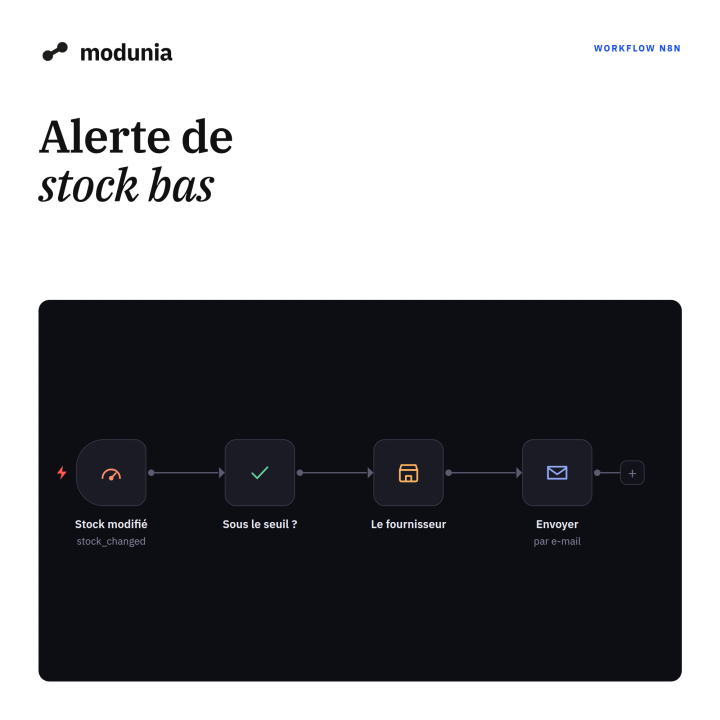
Low stock alert
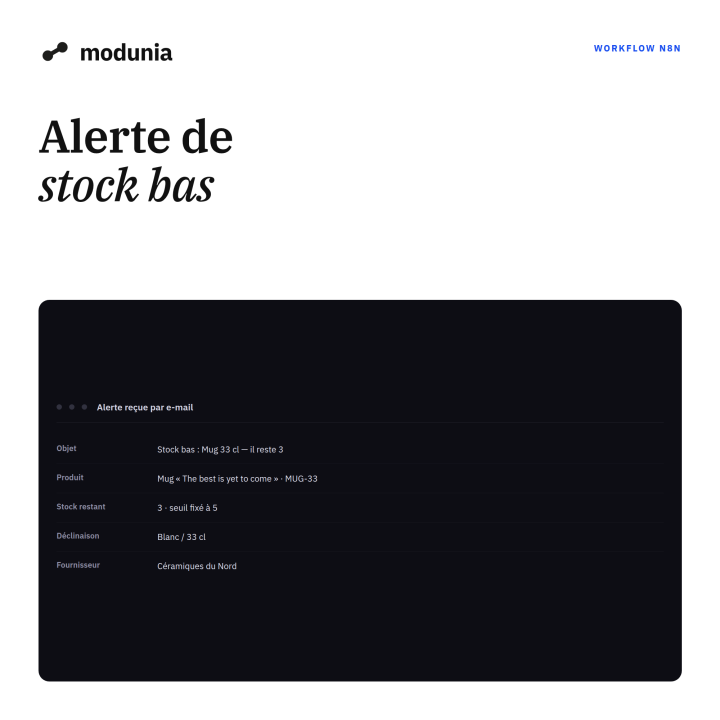
Stock drops under the level you set, and you get a message with what to reorder and from whom.
- Immediate download
- Step-by-step guide included
- 12 months of updates
- Support by e-mail
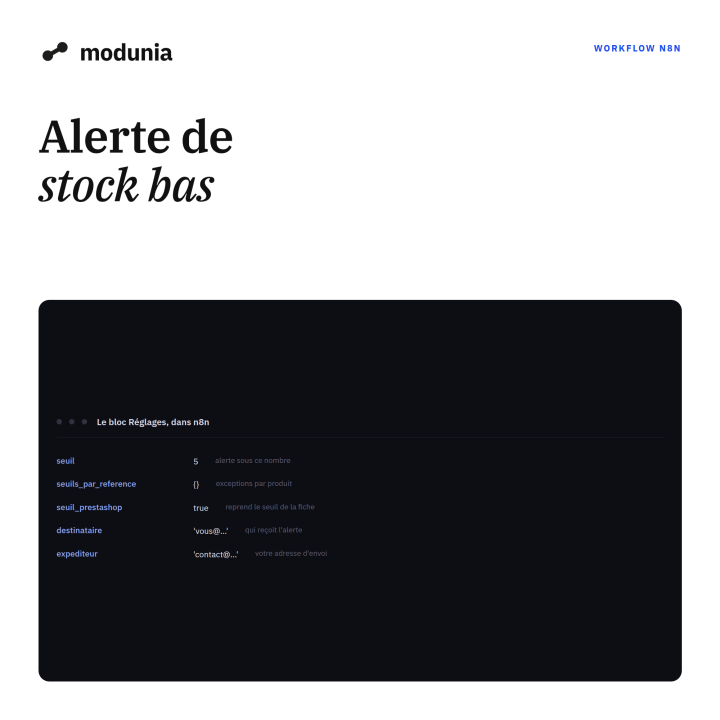
The workflow reads every stock updated event, compares it with the level you set for that product, and warns you once per product per day. The message lists the product, the combination, the stock left and the supplier with its reference.
In the file
- The n8n workflow, ready to import (.json).
- One general level, exceptions by reference, or the level set on each product page.
- A step-by-step guide.
Sent by e-mail; in n8n, the last block can be swapped for Slack or Telegram. Requires Modunia and an n8n instance.
-
ReferenceMDN-WF-STOCK
-
In stock1000 Items
4 other products in the same category
Getting started
From the order to the first event
Three steps, about fifteen minutes, no developer.
- 1
Buy and download
Payment by card or PayPal. The e-mail with the files, and the licence key for the module, arrives right away.
- 2
Install or import
The module is uploaded in your back office. A workflow is imported into n8n in one click, from its JSON file.
- 3
Connect your AI
Paste your own ChatGPT, Claude or Grok key into n8n. Your data goes from your store to your AI, and nowhere else.
Before you start
What you need
- A PrestaShop store in 1.7.8, 8.x or 9.x, with PHP 7.4 to 8.4.
- An n8n, in the cloud or on your own server.
- An account with the AI of your choice, with its own key.
- About fifteen minutes for the first setup.
Nothing goes through our servers: your store talks to your n8n, your n8n talks to your AI.
Questions
Common questions
When do I get the files?
Straight after payment, by e-mail. They also stay in your account, on the My licences page.
Is an AI subscription included?
No. You use your own account at OpenAI, Anthropic or xAI, and you pay them for what you use, nothing more.
What if it does not work on my store?
Write to us with your PrestaShop and PHP versions. We fix it, and if we cannot, we refund you.
Can I change the workflows?
Yes. They are ordinary n8n workflows: every node is open, you rename, add or remove whatever you want.
Secure payment
With PayPal you keep buyer protection and dispute resolution. We never see your card number.
Fits your store
Tested on PrestaShop 1.7.8, 8.0, 8.1, 8.2, 9.1 and 9.2, with PHP 7.4 to 8.4.